How to play
Castle Fight in ten minutes: the goal, the rules, and what everything on the screen means.
Read it next to the Tutorial, which lets you try each part yourself.
The goal
Two forces, West and East, each with up to four players, face each other across one long road. Each force has a castle at its end of the road. Destroy the enemy castle and your force wins the round. The first force to win the set number of rounds (two by default) wins the match.
The twist: you never command soldiers. You only build. Your structures train units by themselves, again and again, and every unit marches down the road and fights whatever it meets. Your job is to build the right things, at the right time, in the right place.
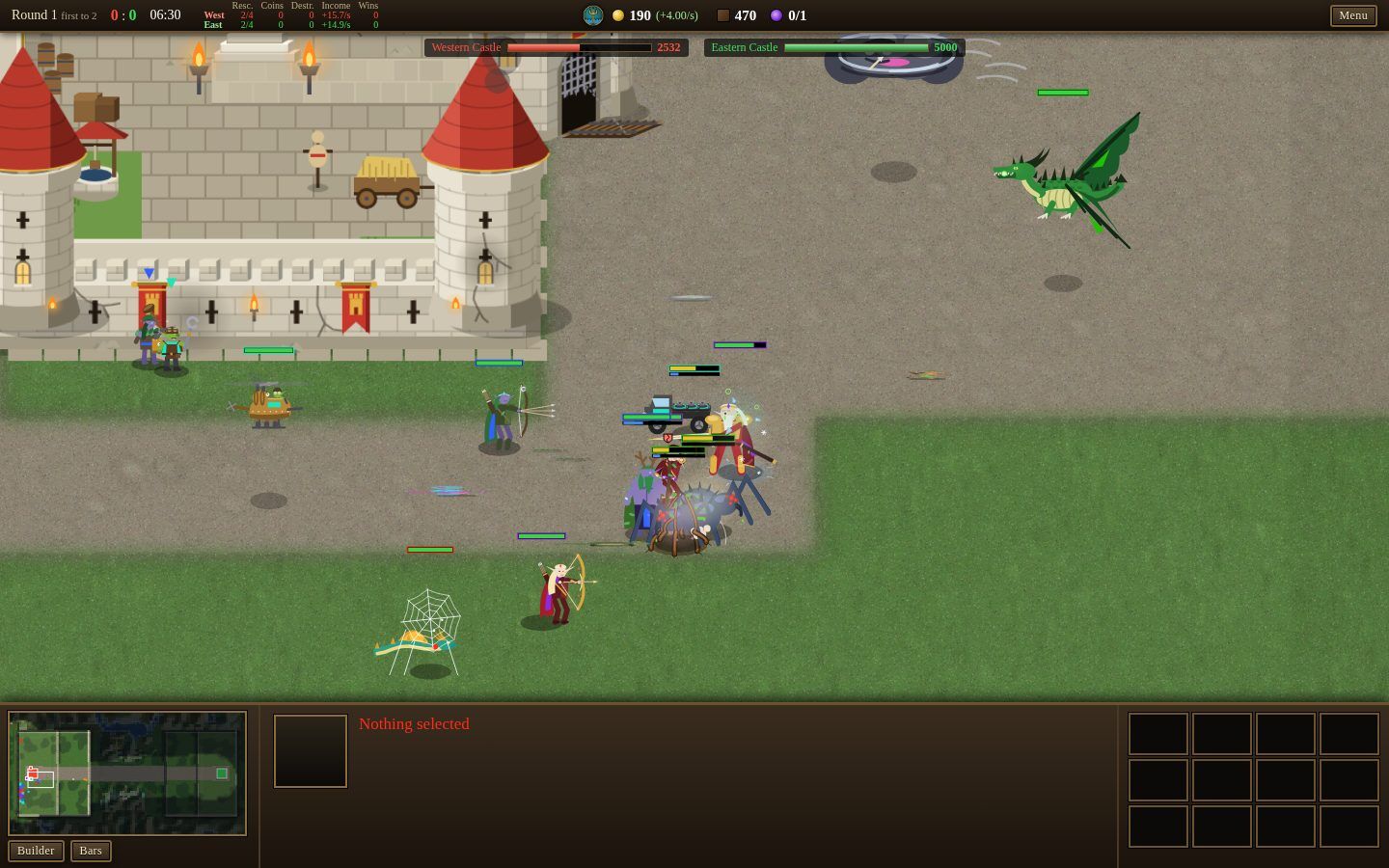
A match from start to finish
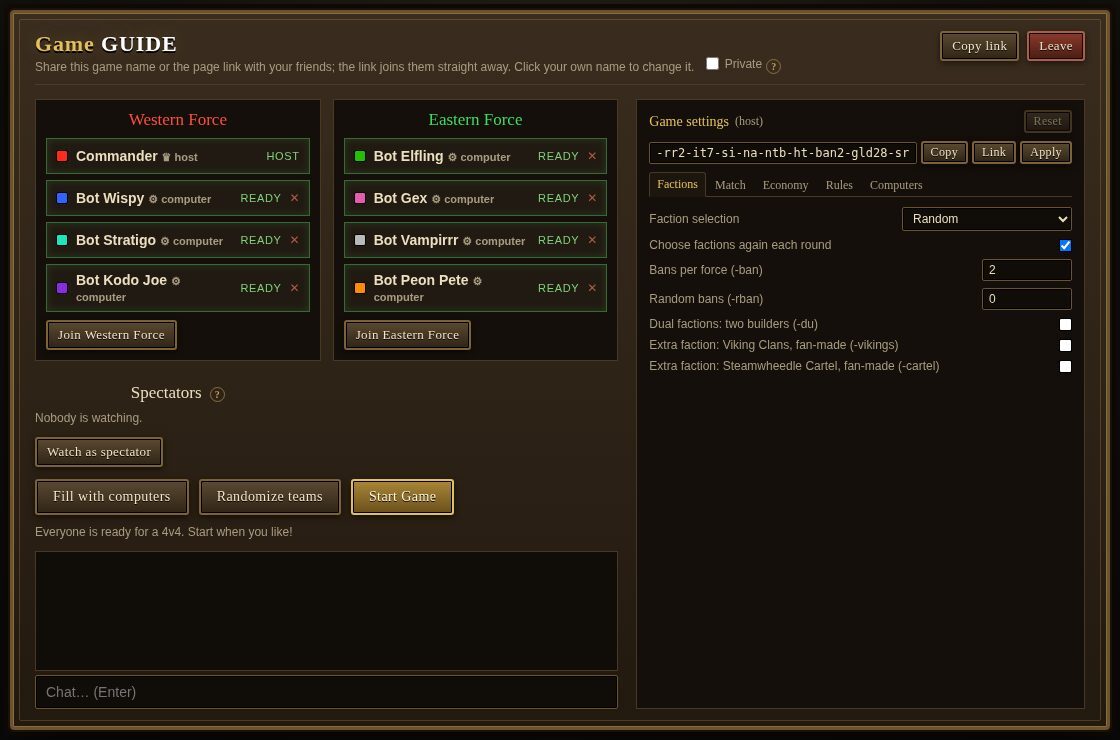
- Lobby. Create or join a game from the title screen. Pick a force (Western or Eastern) and press Ready. Any even split works, from 1 versus 1 to 4 versus 4. The host can fill empty seats with computer players and change the game settings; a game against computers is a good way to practise. Others join by the game name or the page link.
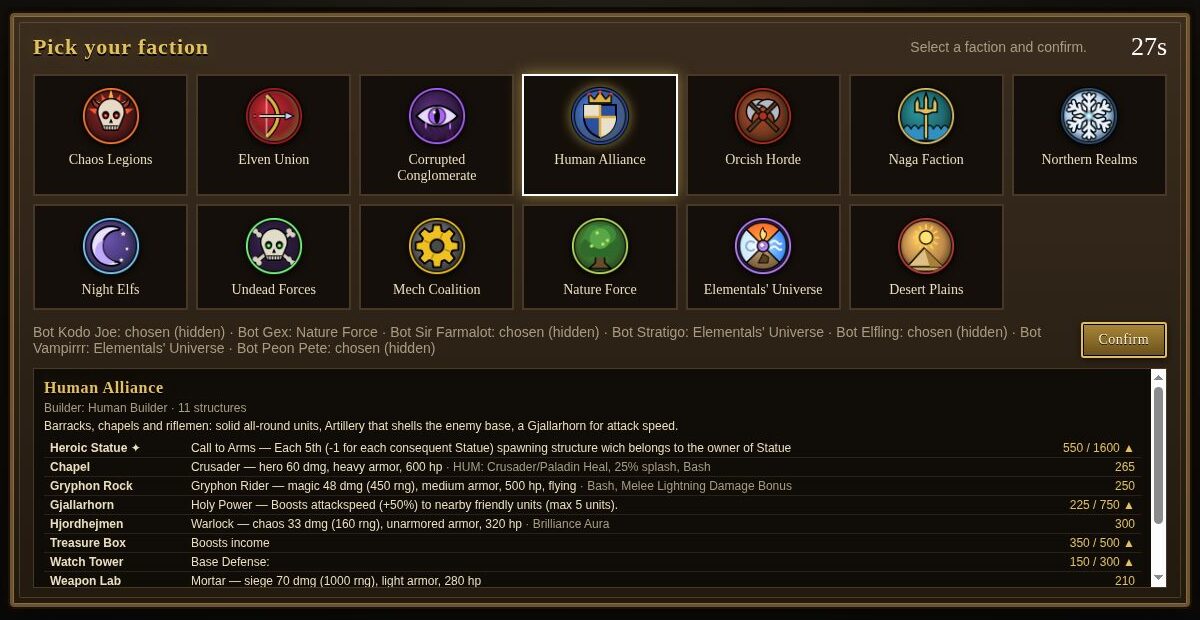
- Bans and picks. Depending on the settings each force bans a few factions, then everyone gets a faction: picked, drafted or dealt at random (the default deals a random faction every round).
- The round. Everyone starts with some gold and lumber and a builder inside their force's walled compound. Build, grow your income, and send a stronger army than the enemy. A round usually lasts 15 to 25 minutes; if it runs out of time (28 minutes by default) it ends in a draw.
- The next round. When a castle falls, every structure is cleared and the next round starts from scratch, usually with a new faction.
Your builder and your structures
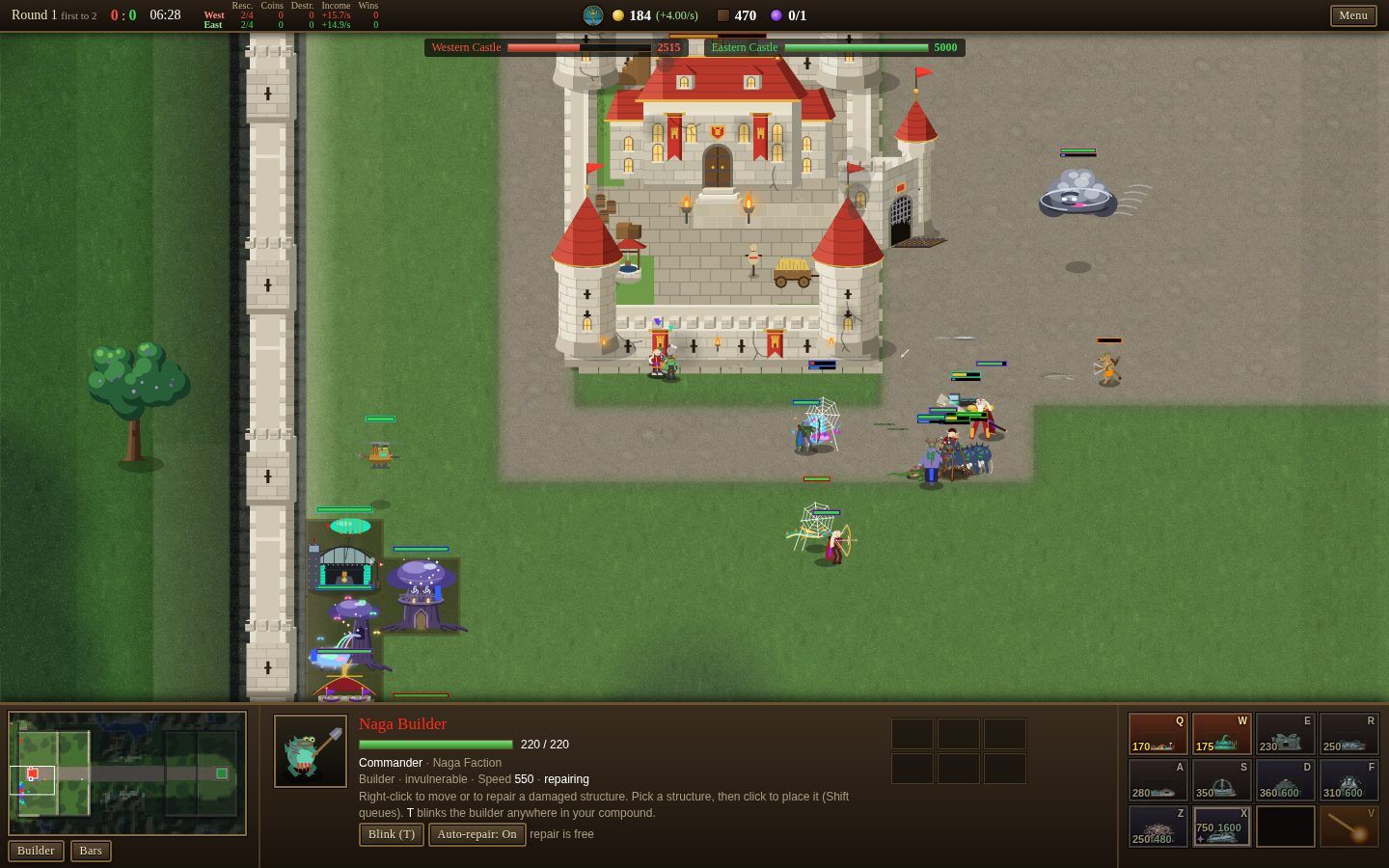
Your builder is the only thing you control. It cannot fight and cannot be hurt. Select it with a click or F1, walk it with a right-click, and pick a structure from the command card at the bottom right (or press its hotkey). Then left-click to place it: the preview is green where the ground is free, red where it is blocked. Hold Shift to place several in a row.
- You can only build inside your own walls, never on the road.
- Build from the back of the compound forward: enemies that break in hit the front structures first.
- Keep the strip right behind the castle free for special and legendary structures later.
- Hover over any button on the command card to read what it costs, what it trains and what that unit can attack.
Structures come in a few kinds:
- Spawners train a unit every few seconds for the rest of the round. They are most of what you build.
- Towers train nothing; they shoot at enemies near them.
- Special structures cast a spell by themselves whenever they are charged: a heal, a stun, a storm on the road.
- Legendary structures (marked ✦) are the strongest of all, and you may own only one per round.
The army fights on its own
A unit appears next to its structure, walks out of the compound and down the road towards the enemy castle. On the way it attacks every enemy unit it meets; only when no enemy unit is in reach does it turn on structures. Units cast their own spells and abilities too, whenever they have the mana.
So the fight is decided by what you build, how much of it, and when. Watch the road: what is the enemy sending, and what of yours dies to it?
Gold, income and lumber
Gold pays for structures. It comes in on its own: a small base income, plus a share for every structure you own. The green number next to your gold is your income per second. This is the heart of the game: each structure raises your income, so the next one comes sooner.
- Build early and never sit on gold. Gold in the bank earns nothing; structures do.
- Upgrades raise your income too, by their own share on top of the structure's.
- Very high incomes are taxed, so late in the round each new structure adds a little less.
- Killing enemy units pays a bounty in gold, shown where they fall.
- The first four players to finish a structure in a round get a small gold bonus.
Lumber is the second resource. Finishing a spawner (or its upgrade) pays its gold cost back as lumber, and some kills drop lumber. Lumber buys towers, special and legendary structures, and the siege factories.
Attack and armor
Every unit has an attack type and an armor type. Some attacks deal much more damage to some armor, and much less to others. Select any unit to read its types; hover over the little type icons in the panel for the numbers.
| Loading the damage table… |
Damage dealt by each attack type (rows) to each armor type (columns). Green is extra damage, red is reduced.
Some units fly, and not every unit can hit a flier: Footmen, for example, walk right under them. Hover over a structure on the command card to see whether its unit attacks air, ground or both.
Upgrades
Most structures can be upgraded: select one and use its command card. The upgraded structure trains a stronger unit and adds to your income. Some can be upgraded in two directions (for example one against air, one against ground): pick the one that beats the enemy's army.
Double-click a structure to select all of yours of that kind and upgrade them all at once.
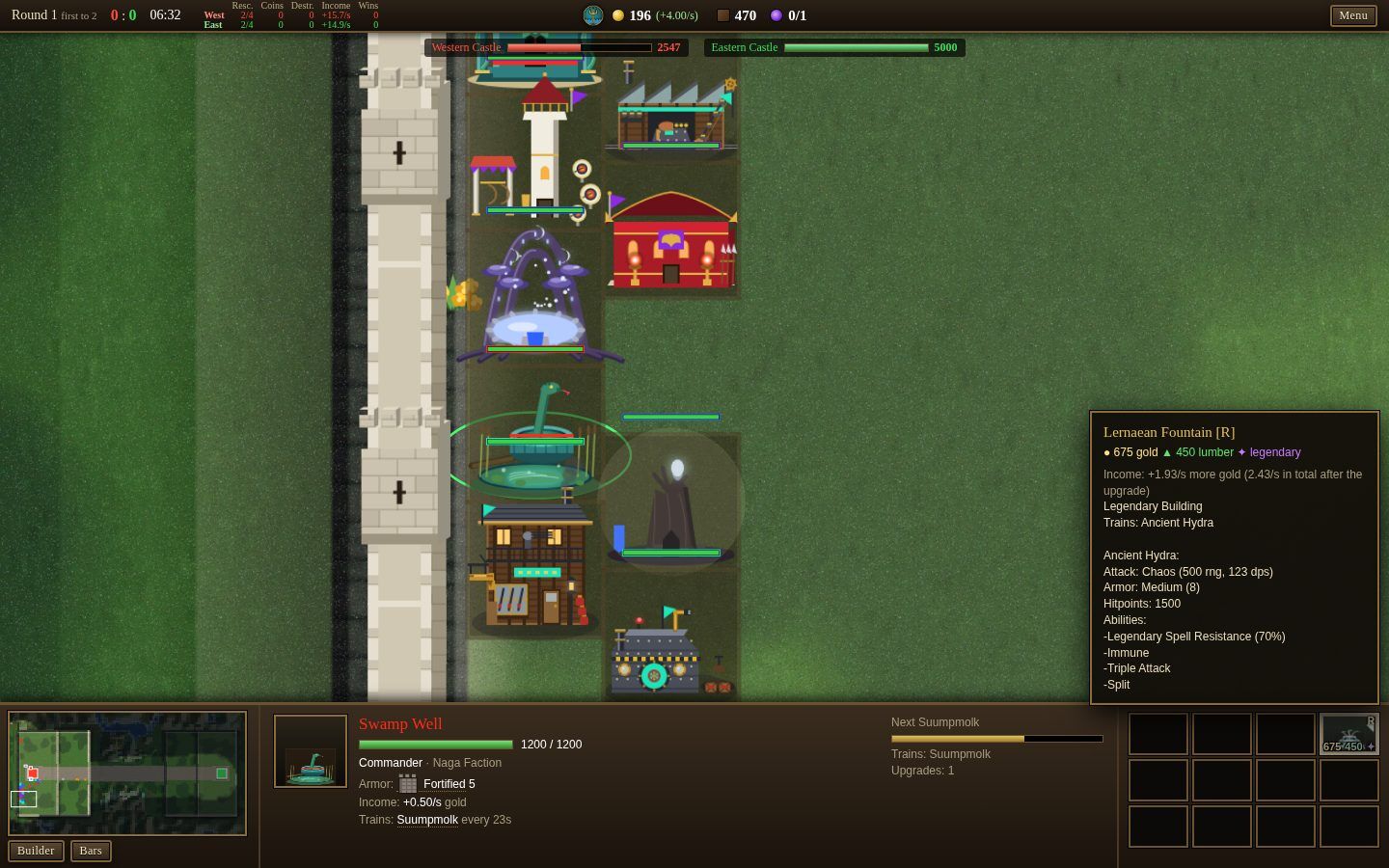
Towers, specials and legendaries
These cost lumber as well as gold.
- Towers defend the spot they stand on. Put them beside the road, in front of your castle, where every enemy that gets that far walks past. A tower at the back of the compound never sees an enemy.
- Special structures are different for every faction: they cast on their own whenever they are charged. Select one to hold its charge or cast it now.
- Legendary structures train or do something powerful. One per round per player, unless you buy Cheese in the shop.
Repair and the Rescue Strike
Your builder repairs damaged structures for free: right-click one with the builder selected. With Auto-repair on (it is on at the start of every round) an idle builder mends nearby structures by itself.
Every player has one Rescue Strike per round (V, then click). It destroys every enemy unit in a large area, but it must land near your builder. Save it for an emergency: a huge wave inside your compound or at your castle. A strike that hits nothing is not used up.
The castle shop
Your castle is also a shop: click it to buy items. Each item first arrives some time into the round and restocks after it is bought; the players of a force share the shop. Bought items go to your builder's inventory (select the builder to see it; right-click an item to sell it back for half).
| Loading the shop… |
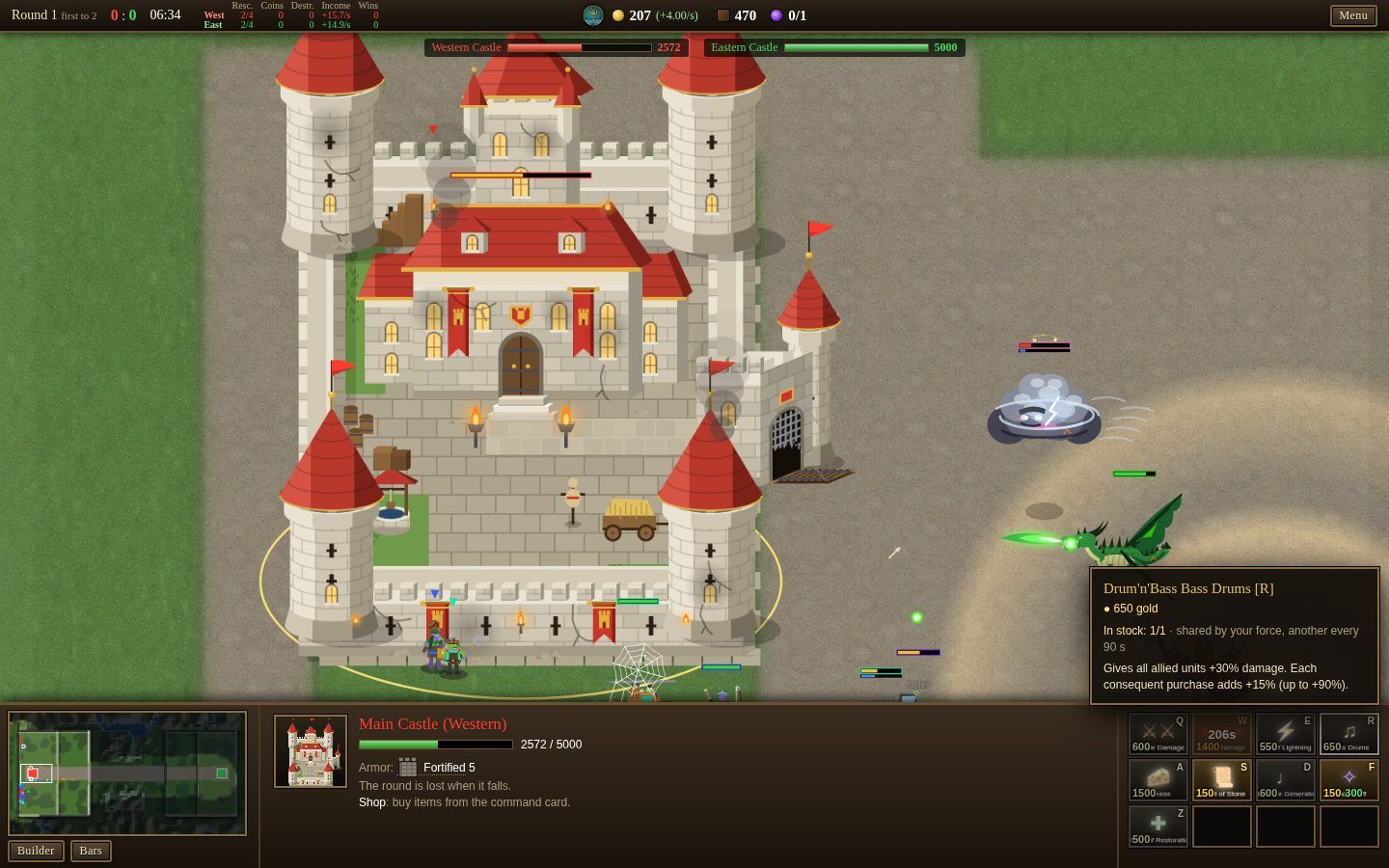
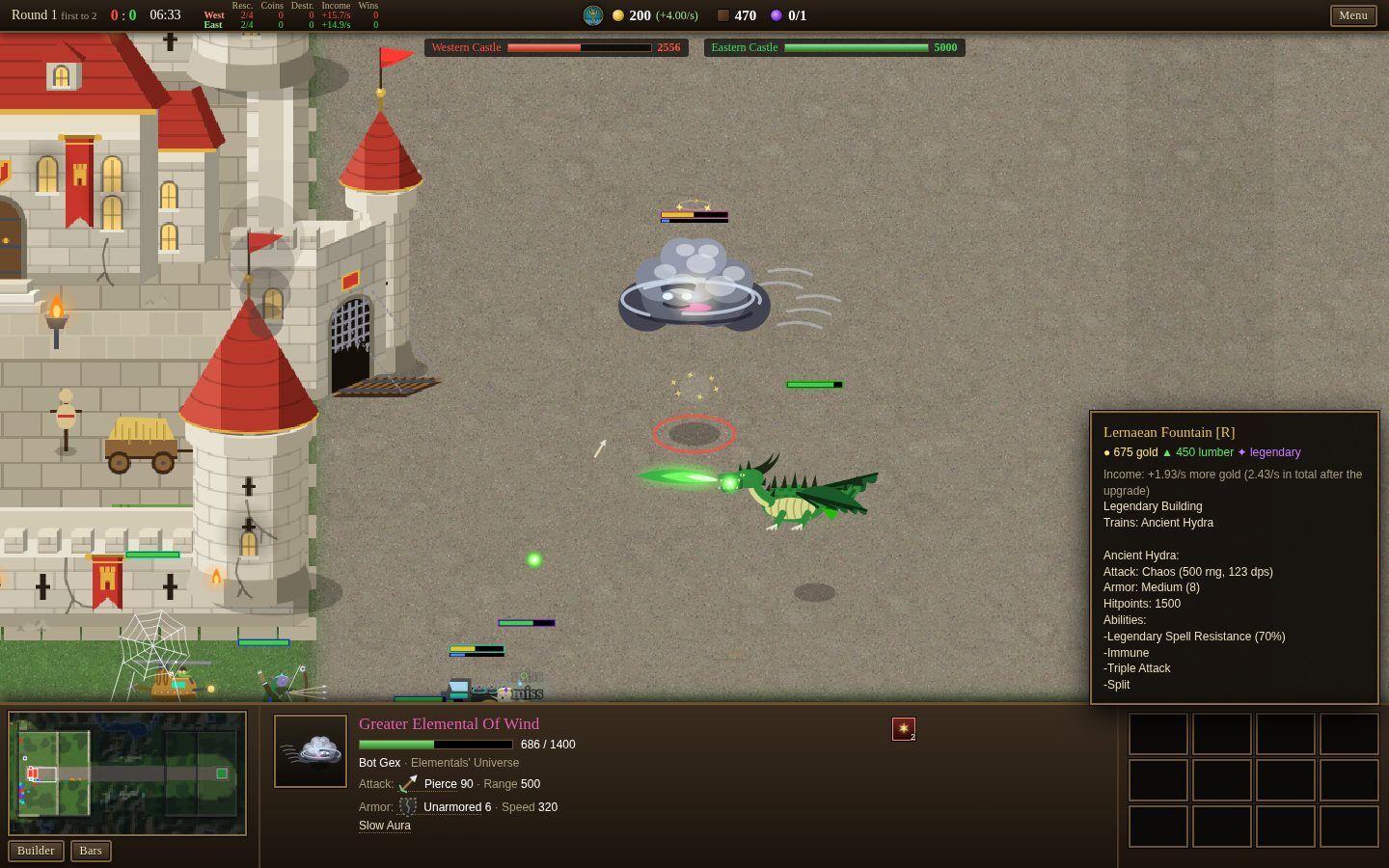
The screen
- Top bar: the round and score, the round clock, the scoreboard of both forces, your gold (with income per second), lumber and the legendary count, and the Menu (sound, controls, pause, leave).
- Castle bars under it: the health of both castles. This is what the round is about.
- Log on the left: what happened, chat, and bonus gold.
- Minimap at the bottom left: click or drag on it to look somewhere else. The Builder button selects your builder.
- Selection panel in the middle: what you selected, its attack and armor, its abilities, and for a structure the next unit's progress.
- Command card at the bottom right: what the selection can do. The letter in each corner is its hotkey.
The factions
Every faction has its own structures, units, specials and legendary. You do not need to know them all to start: the pick screen and the command card tell you what each structure trains, and hovering explains the rest.
Controls
Mouse and keyboard
| Action | Input |
|---|---|
| Select | Left click (units, structures, builder) |
| Move the builder / repair | Right click on the ground / on a damaged structure |
| Build | Command card button or its hotkey, then left click to place (Shift keeps the tool) |
| Cancel / deselect | Right click or Esc |
| Command card hotkeys | Follow the grid: QWER / ASDF / ZXCV |
| Select the builder | F1 |
| Rescue Strike | V, then click the target |
| Blink (teleport the builder in your compound) | T, then click |
| All structures of a kind | Double-click one |
| Add to / remove from the selection | Shift+click |
| Save / select a group | Shift+1–9 / 1–9 (twice: jump to it) |
| Pan / zoom | Arrow keys, screen edge, middle-drag, minimap / mouse wheel |
| Jump to the last event | Space |
| Health bars | Hold Alt, or the Bars button |
| Chat | Enter (Tab switches team / all) |
Touch screen
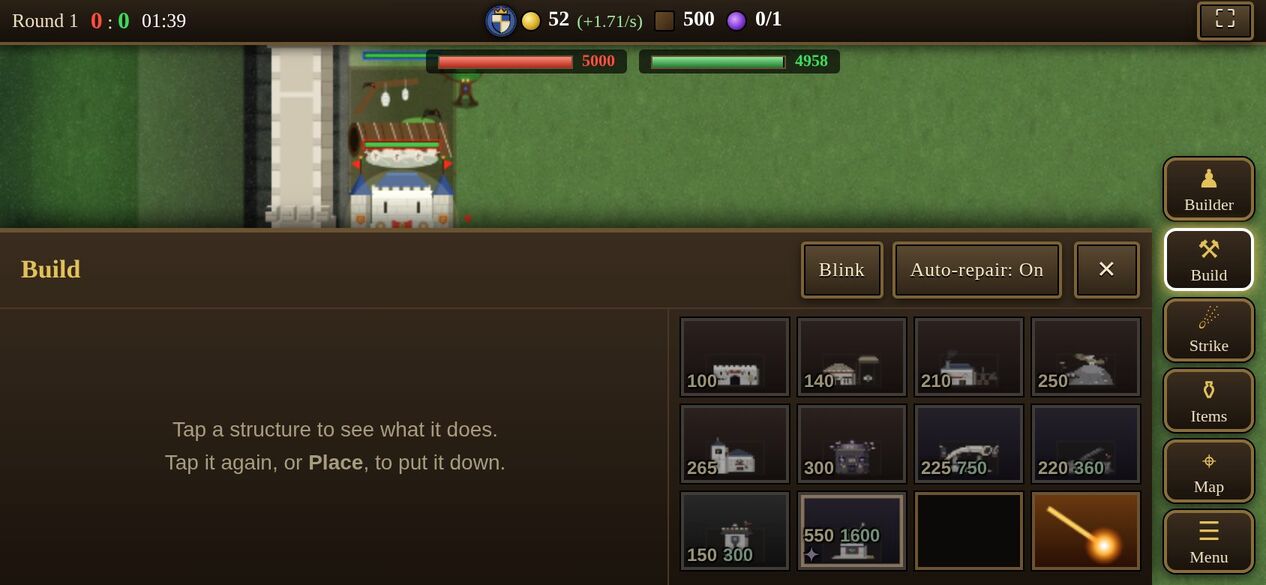
Tap to select, tap twice on a structure for all of its kind. With the builder selected, tap the ground to move it and hold a structure to repair it; hold anything else for its details. Drag to pan, pinch to zoom. Build, Strike, Items and Map open their own panels, and placing or targeting asks for a ✓. Hold any button to read what it does.
Tips for your first games
- Start building at once and keep spending. Early structures pay for themselves the longest.
- Read the first enemy wave: fliers? heavy armor? magic? Then build what beats it.
- Upgrade when your units start losing their fights, and to grow your income.
- Build from the back, keep the space behind the castle free, and put towers by the road.
- Keep your Rescue Strike for a real emergency, and keep your builder close to where it may be needed.
- Hover over everything. Every button, unit and type icon explains itself.
- Play the Tutorial lessons, then a game against computers, before your first match against people.